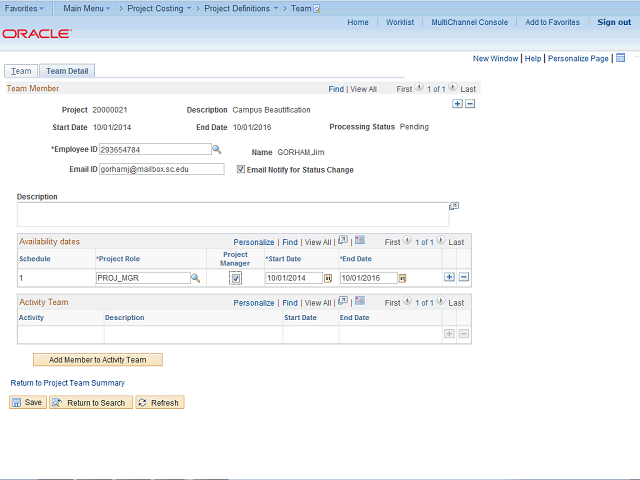
The above actions have added Jim to the project, and clicking here will add Jim to activities within the project.
Click the Add Member to Activity Team button.
Next Step
Table of Contents Topic Overview Press Alt + Left Arrow to return to the previous page